Samsung Smart Kitchen Hood
Bringing Real-Time Assistance to Everyday Cooking

OVERVIEW
IMPACT
Missing Opportunity
Bridging the Gap in
Cooktop Monitoring
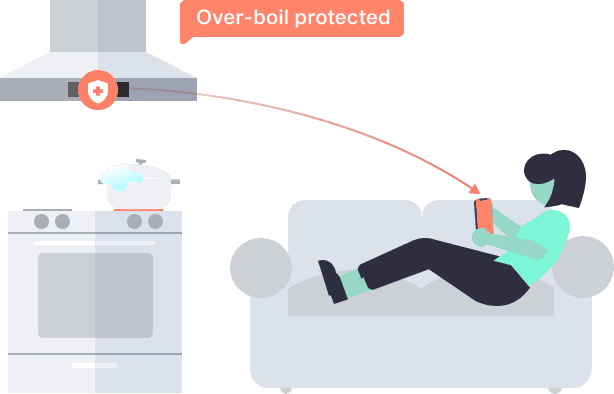
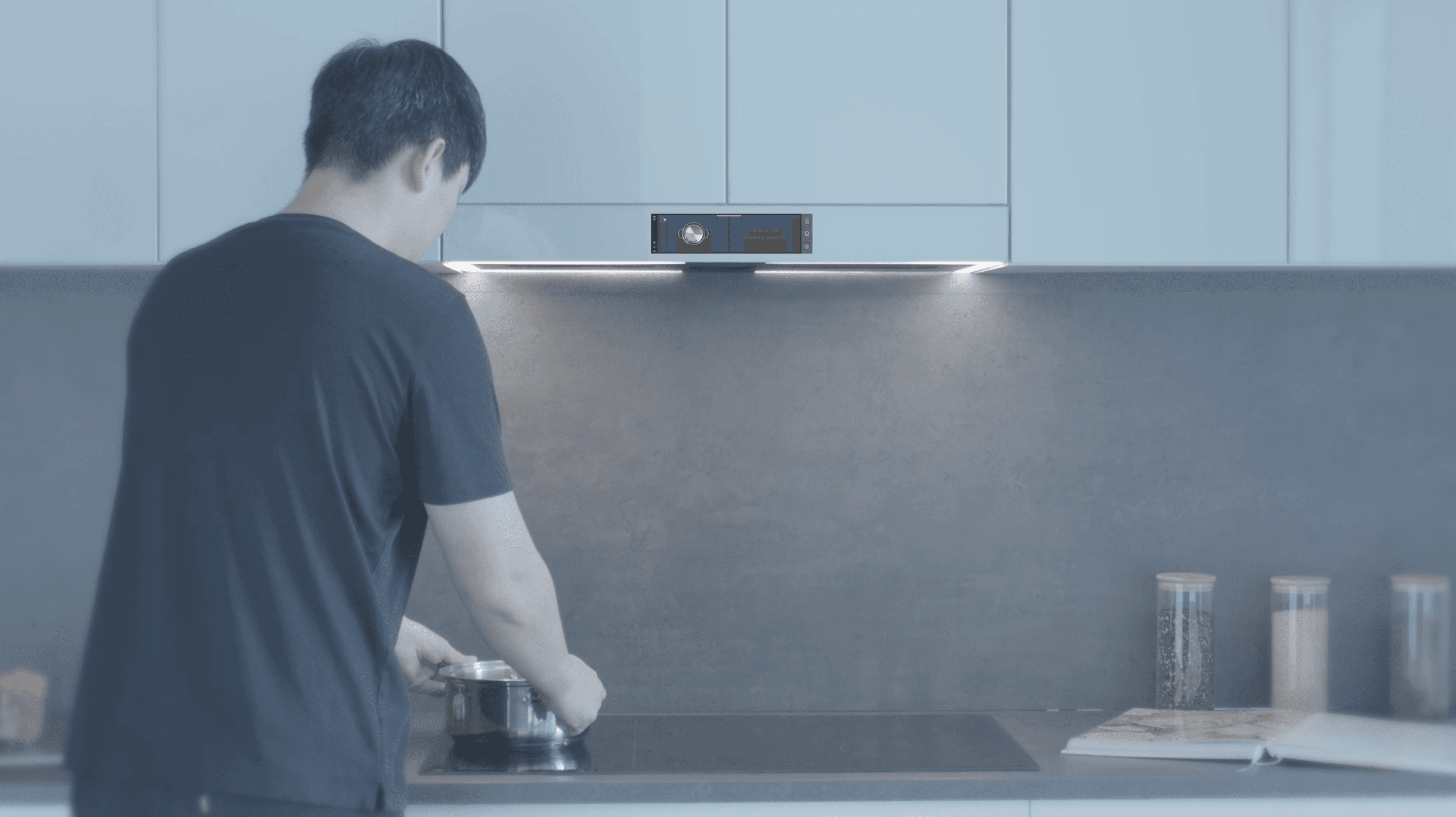
Smart kitchen appliances can be controlled remotely, but almost none directly monitor what's actually happening on the cooktop.
Our Solution
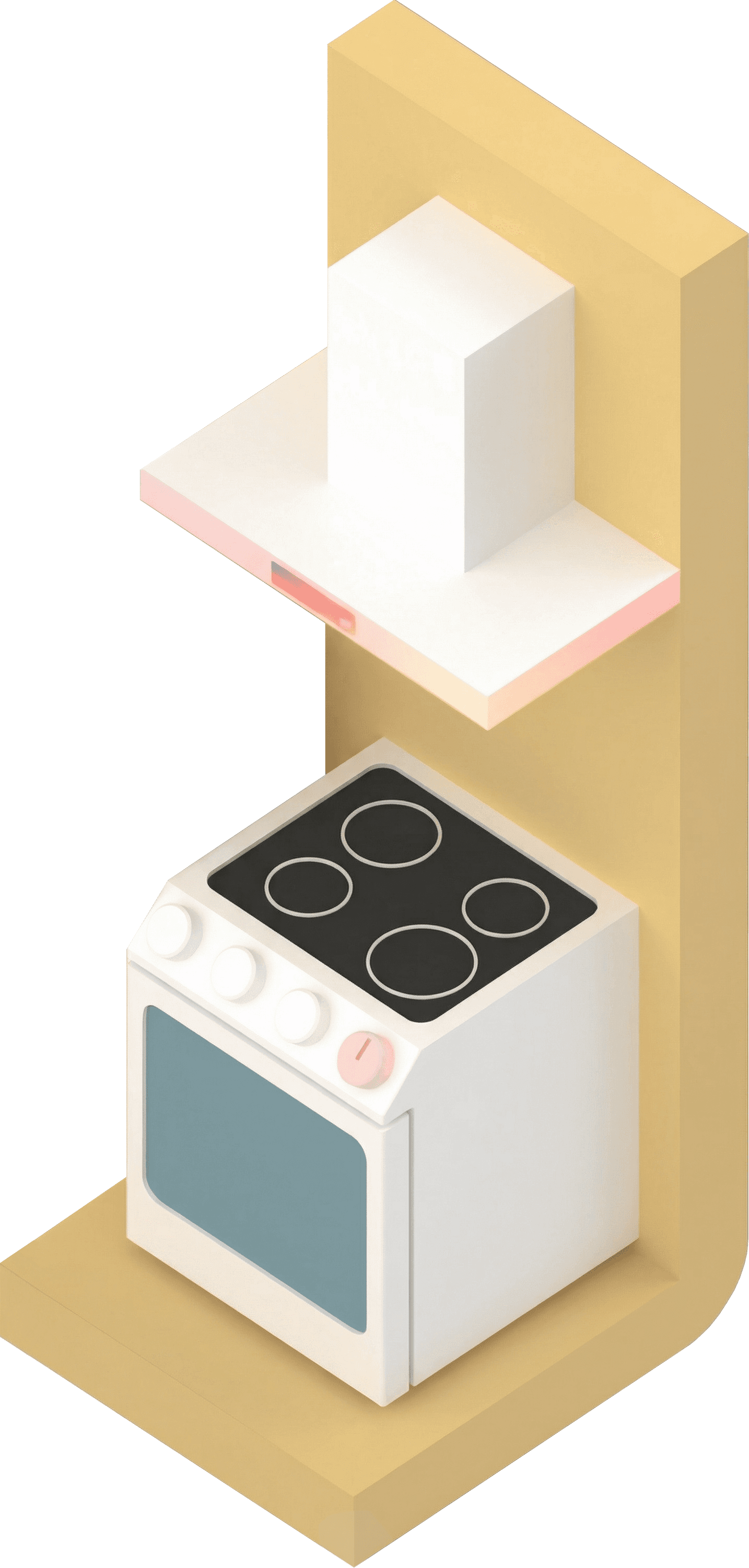
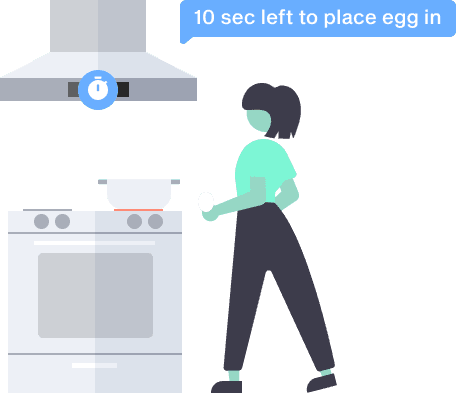
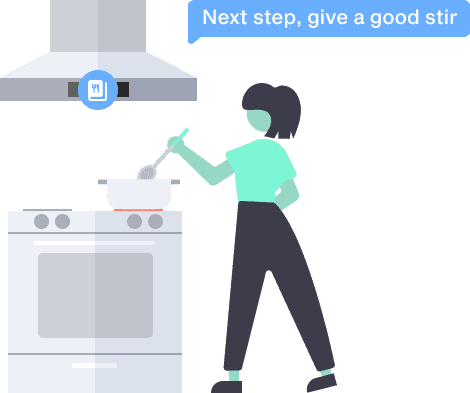
Real-time monitoring and assistance on the hood,
synchronized with cooking progress and content.
WORK PROCESS
Planning project timline
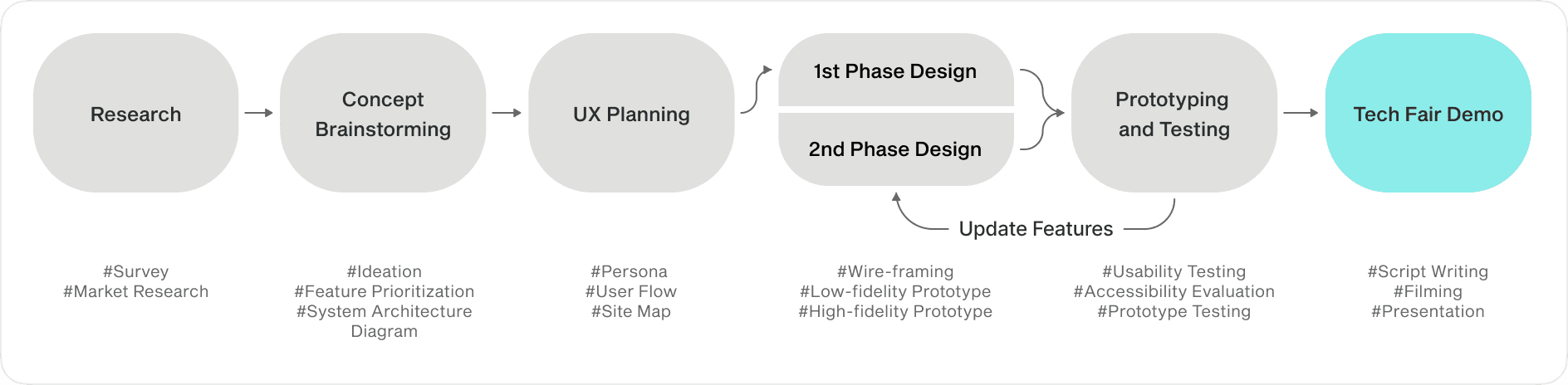
Leading the end-to-end design process
The project followed a flexible waterfall approach. I started as the sole designer during planning phase, then built and led a UX/UI team through prototype development.
PROJECT PLANNING
What features need to be updated?
Understanding common cooking challenges
I began with market and survey research. The main challenges pointed toward automating tasks to improve convenience, safety, and efficiency.
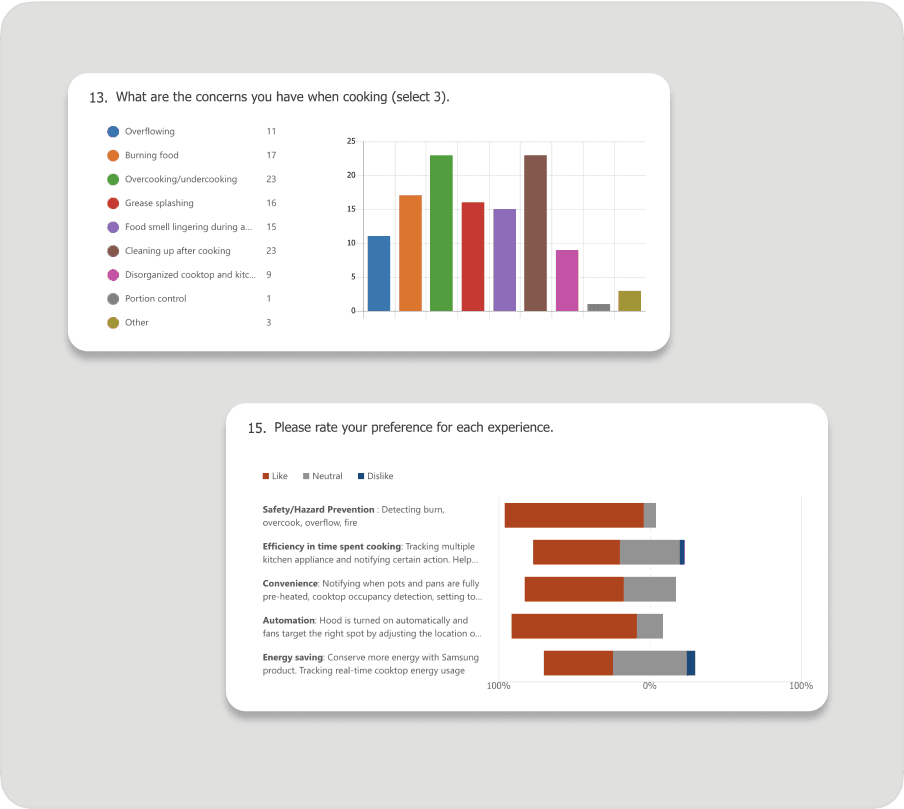
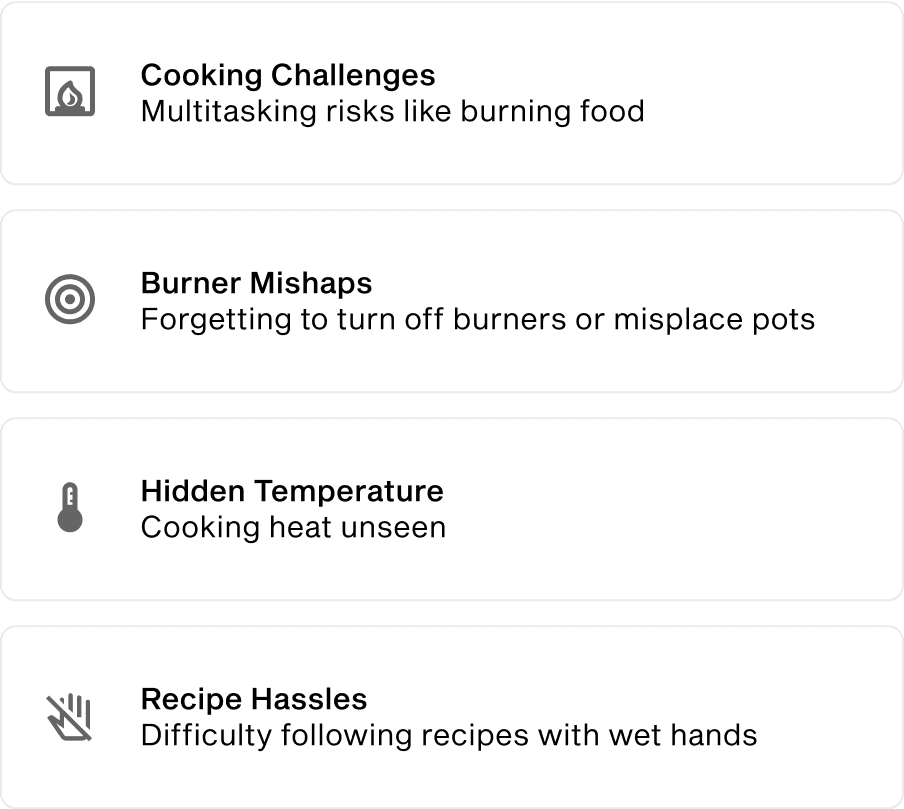
(Survey & Market Research)
Choosing key features for an end-to-end experience
The team brainstormed Aspire features mapped to cooking stages, then selected features based on technical feasibility and timeline.
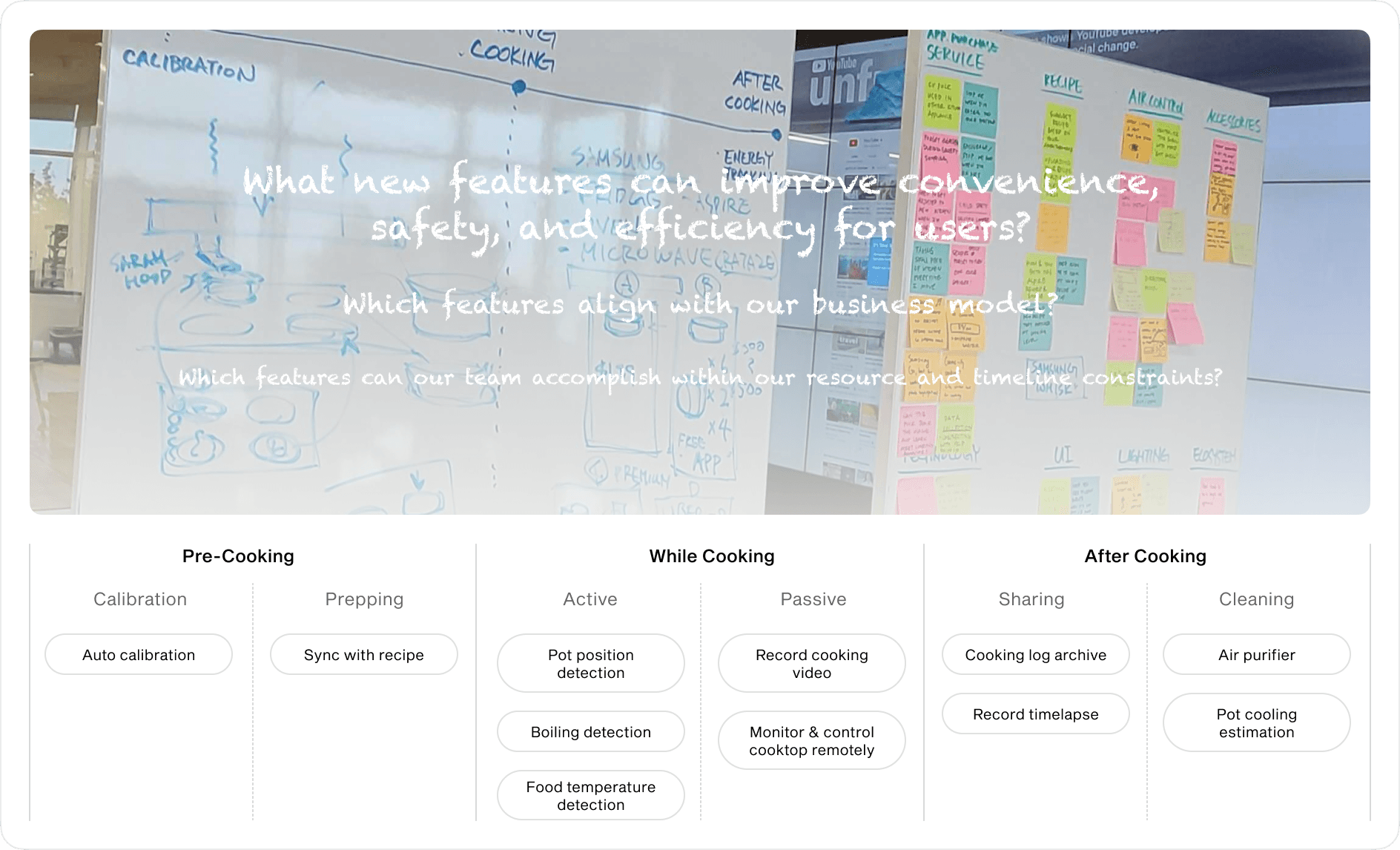
(Concept Brainstorming)
Aligning interface relationships
I regularly coordinated with developers on the cooking stage state machine, prioritizing hood and burner automation while addressing both physical and remote interaction requirements.
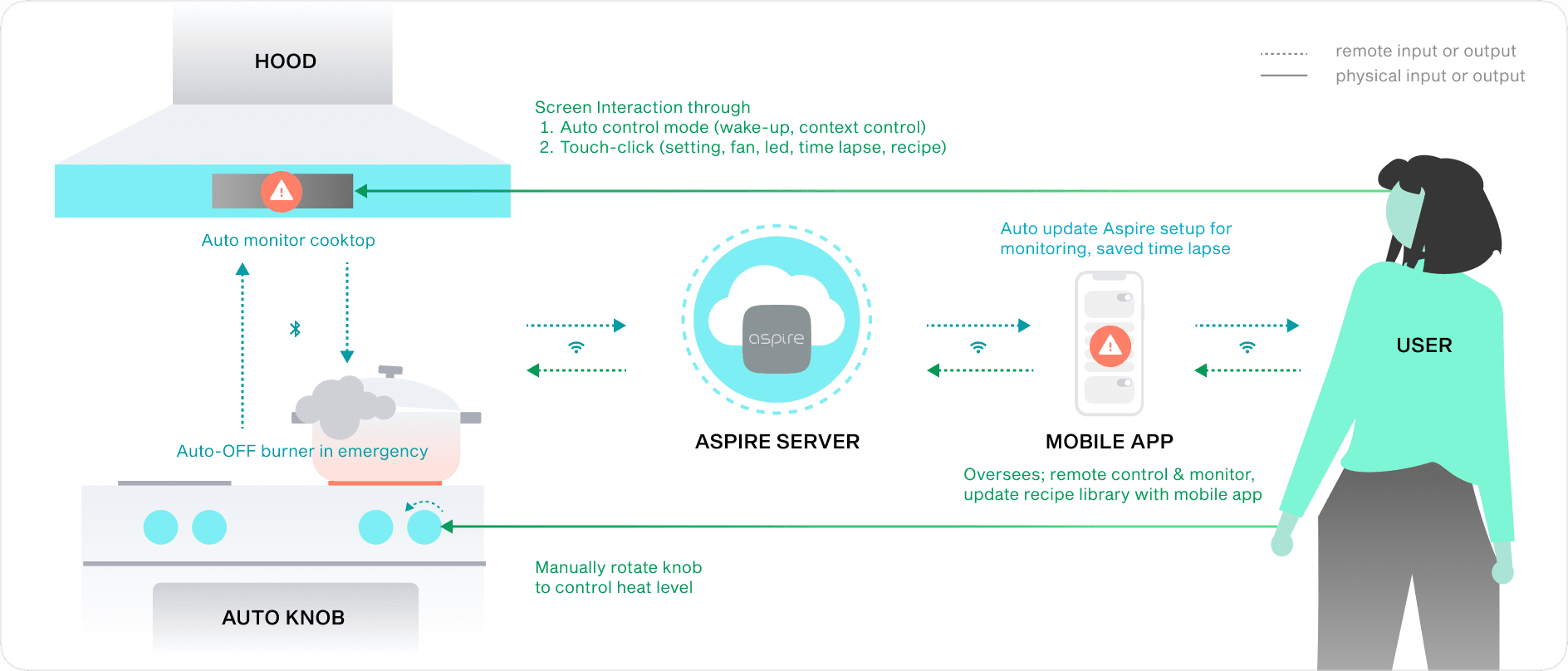
(System Diagram)
UX RESEARCH
What are user needs and painpoints?
Deepening user empathy
I built three personas spanning novice to expert cooks to support a diverse range of users. They shared one goal: reduce touchscreen dependency and keep the experience smartphone-free without losing core functionality.
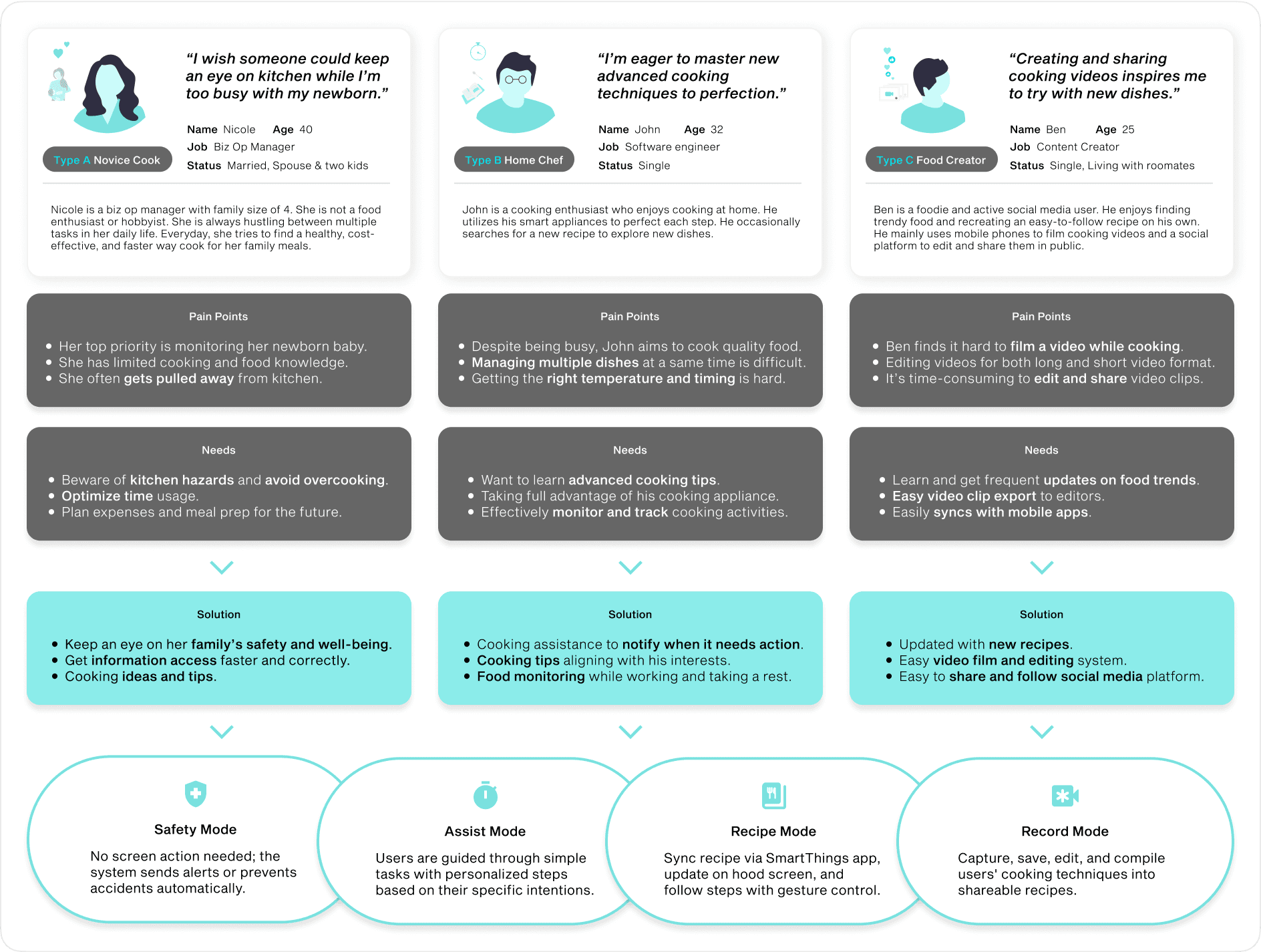
(User Persona & Design Requirements)
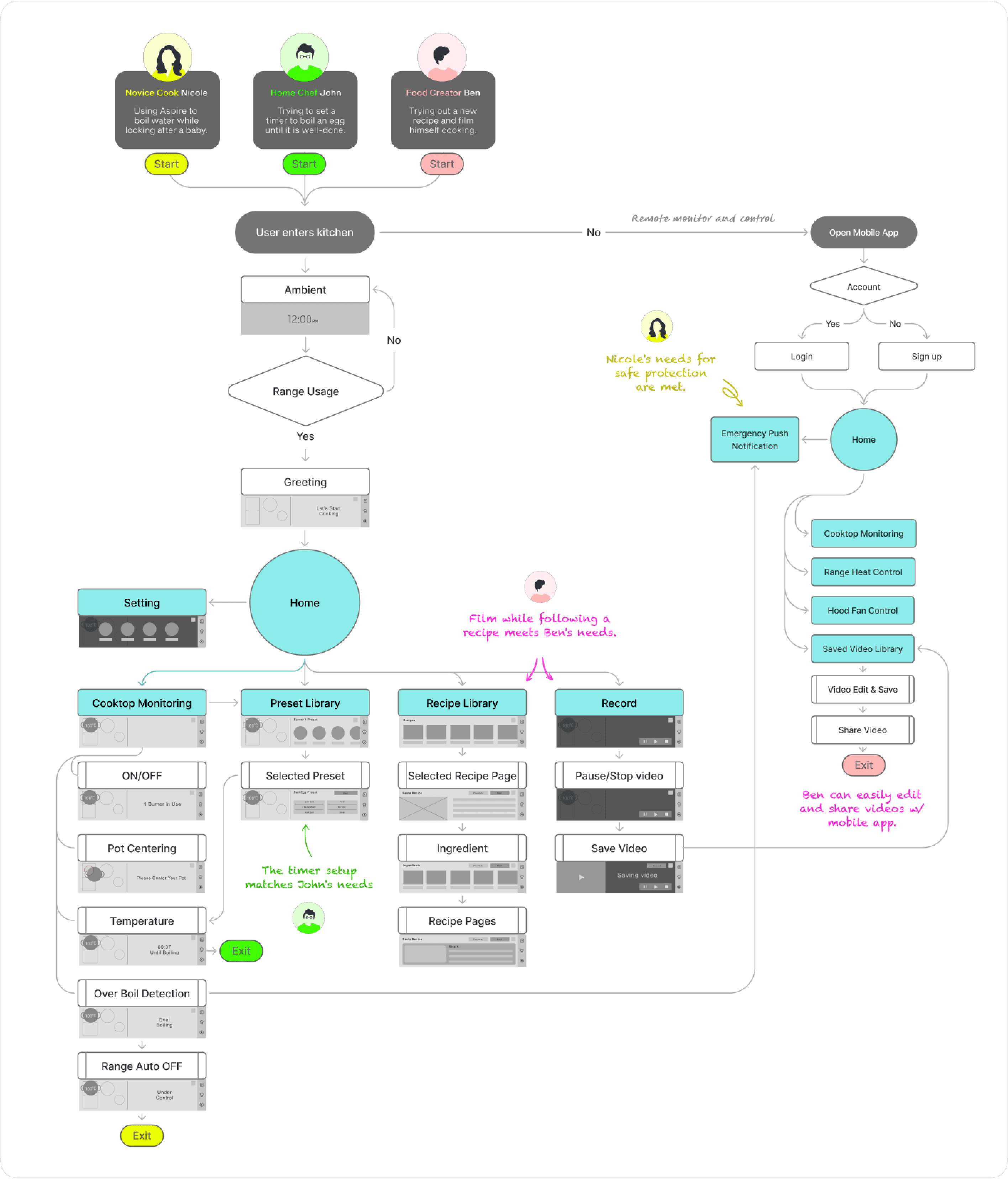
(Flow Chart)
Bringing Bespoke’s simplicity to the digital interface
As the first digital touchpoint for the Bespoke hood, I focused on developing a design system that communicates information intuitively while maintaining the brand’s simple and elegant aesthetic.
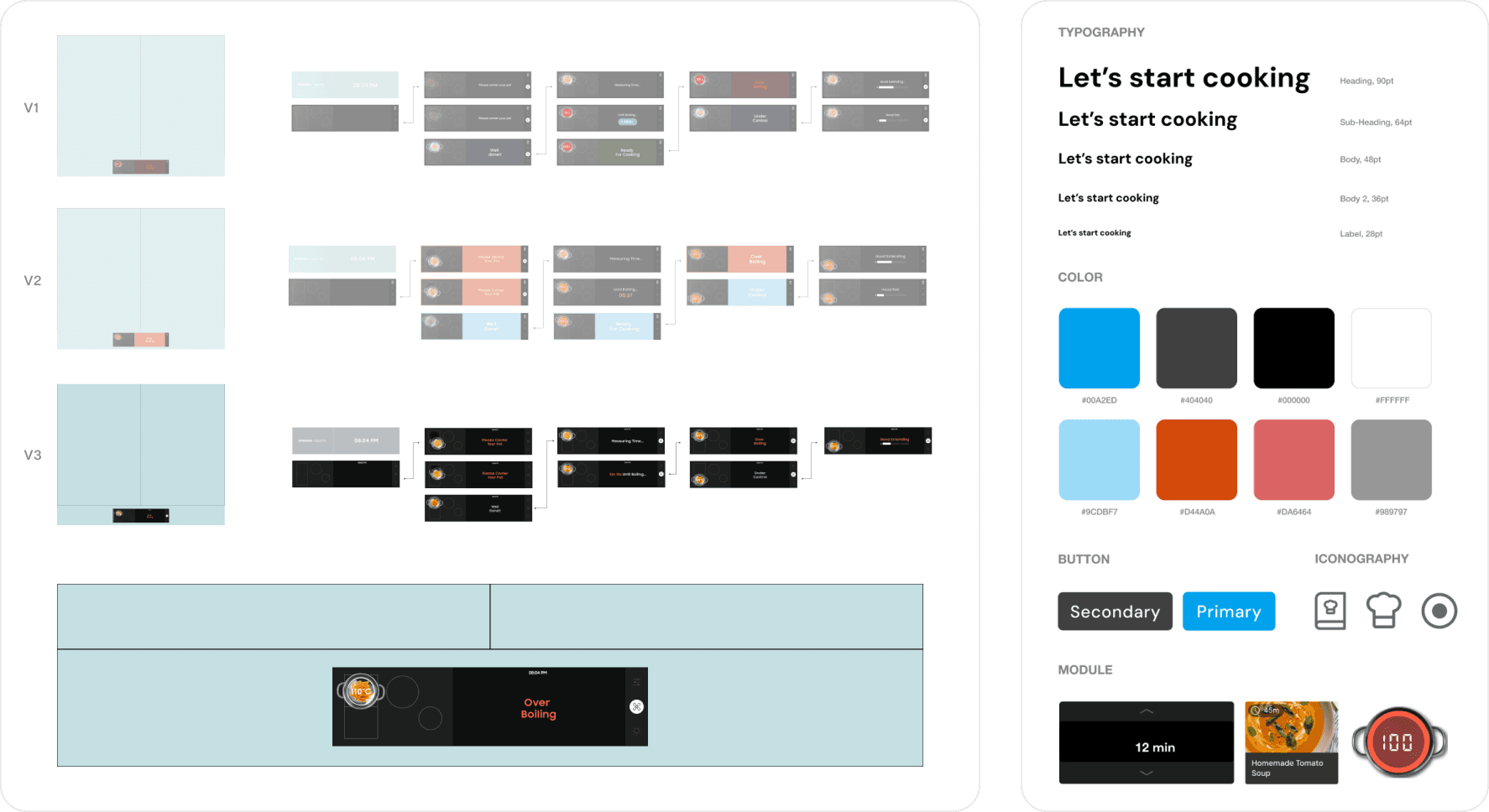
(Design System)
INTERACTION DESIGN
Real-time cooking monitoring interface
Testing cooking scenarios and system implementation
Our team built a cooktop prototype for physical testing to validate the concept. I started with testing task-based scenarios to ground the experience in real cooking behaviors.
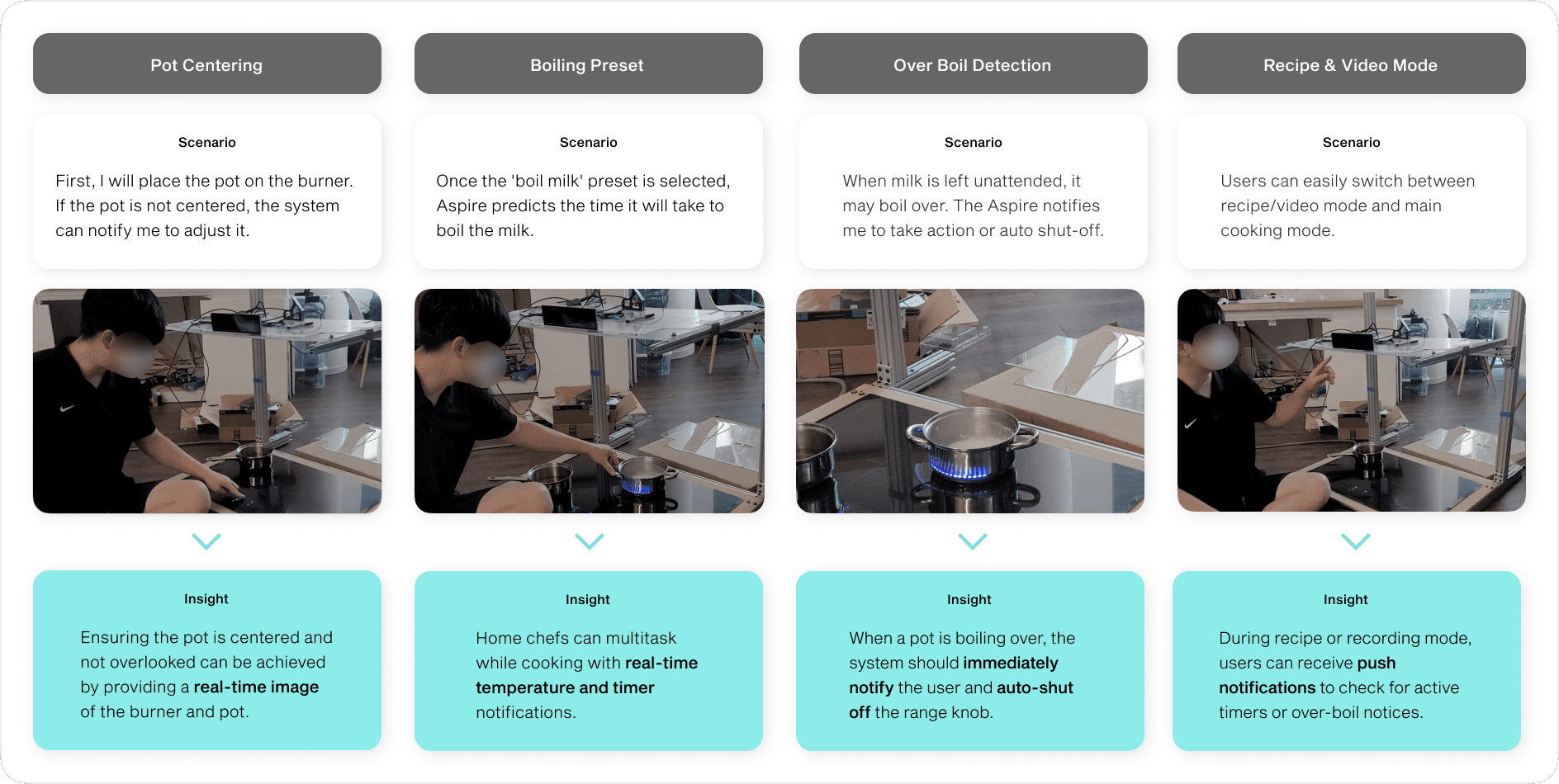
(Scenario Mapping)
Asynchronously, I collaborated directly with engineers to test real-time burner and temperature monitoring, then refined the layout to support multiple burners with a unified cooktop overview.
Integrating real-time cooktop monitoring to UI
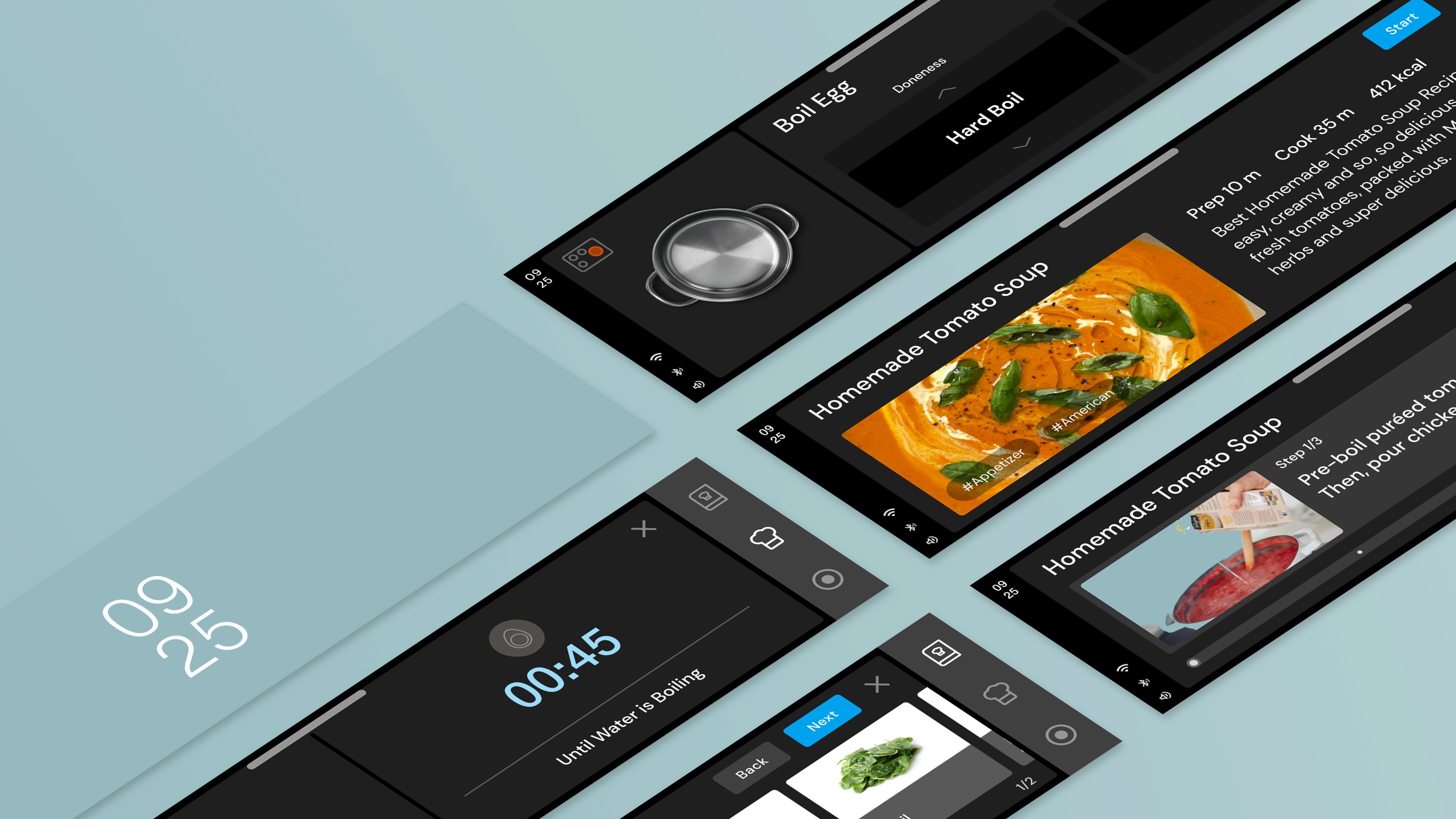
Key design decisions included surfacing time-sensitive information upfront, delegating alerts to automation, and placing secondary actions behind tabs to create a clearer hierarchy.
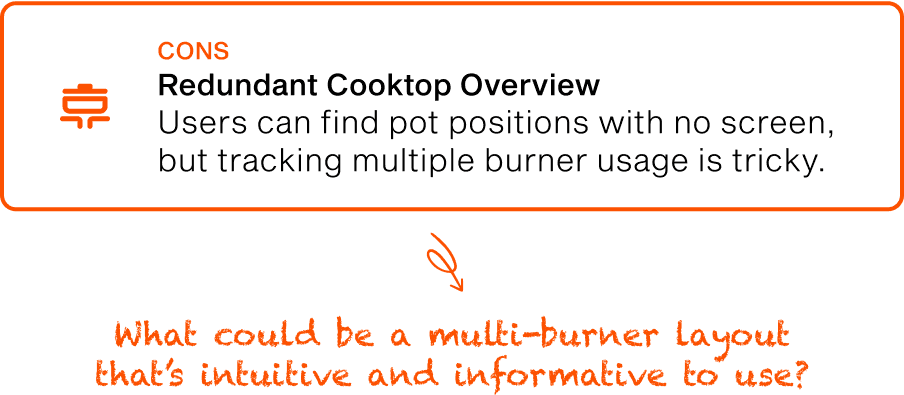
The design was then reviewed and audited with the design team. The main challenge was transitioning to a multi-burner layout.
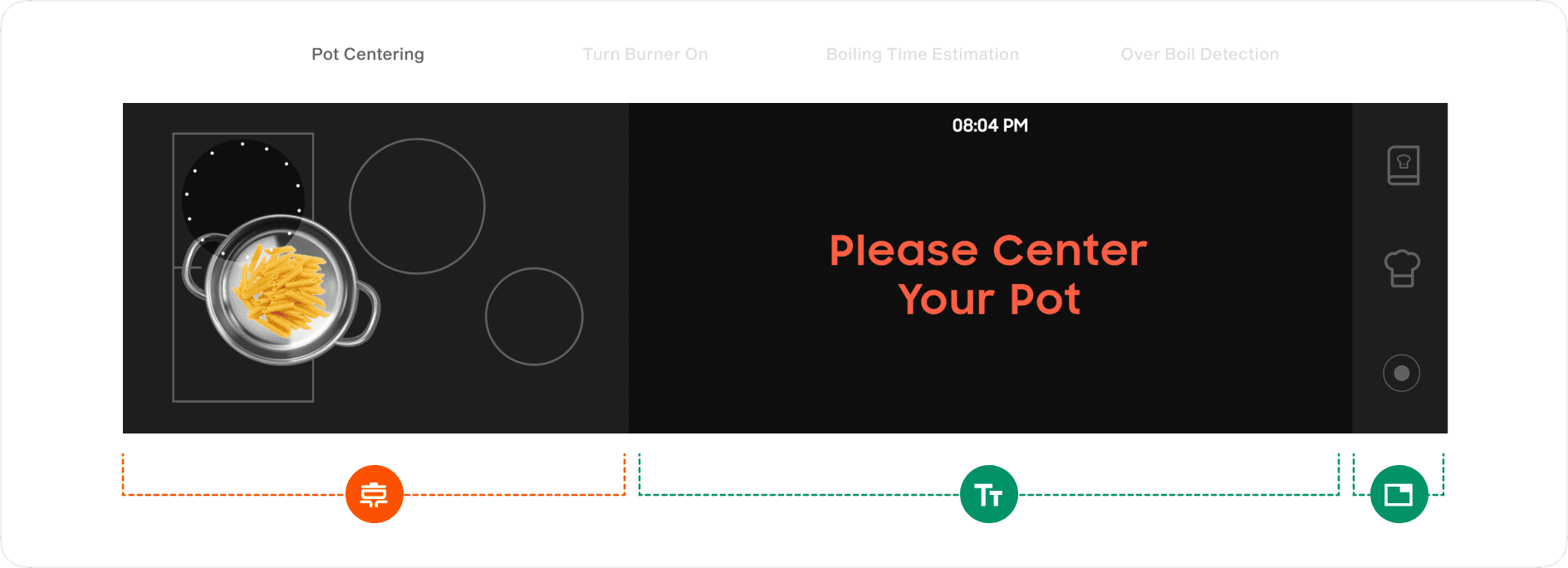
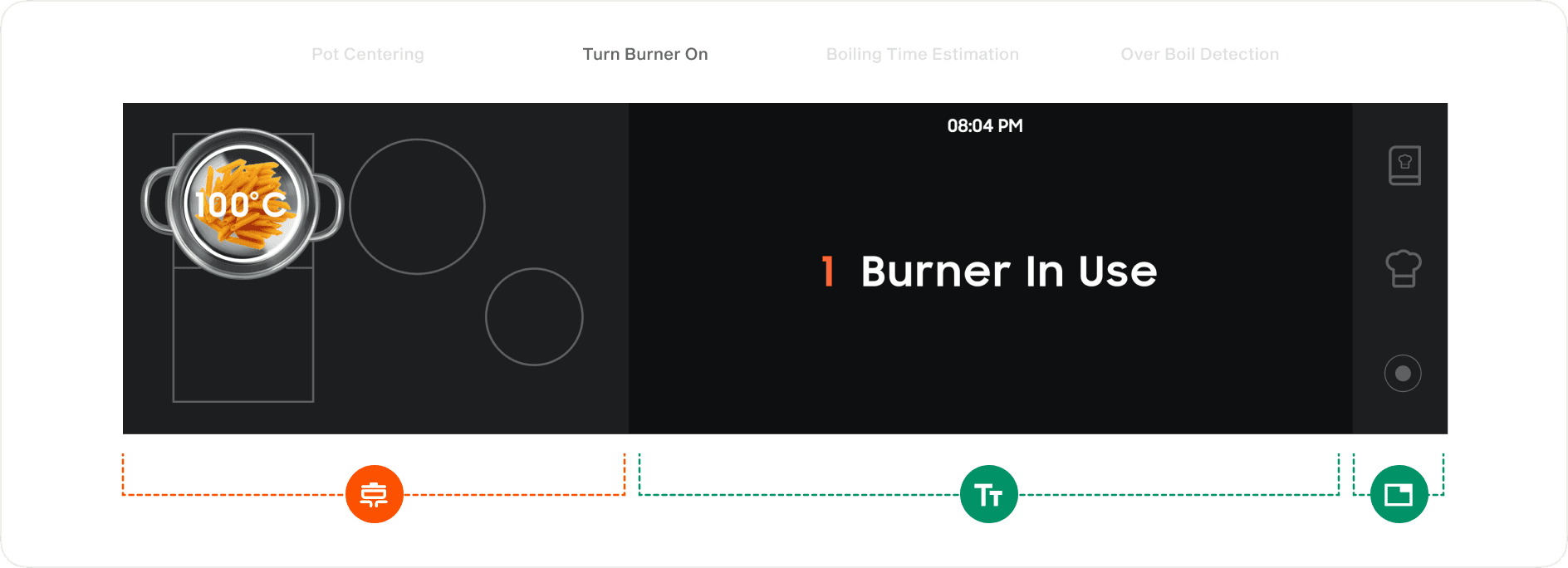
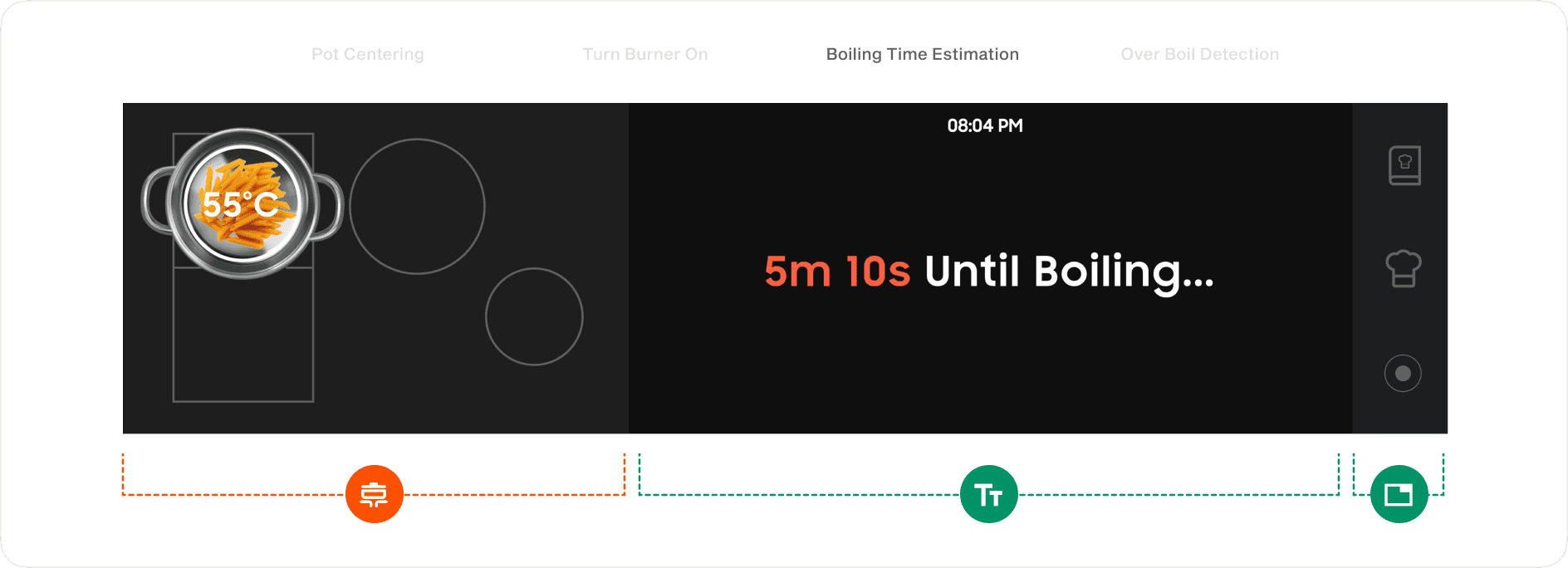
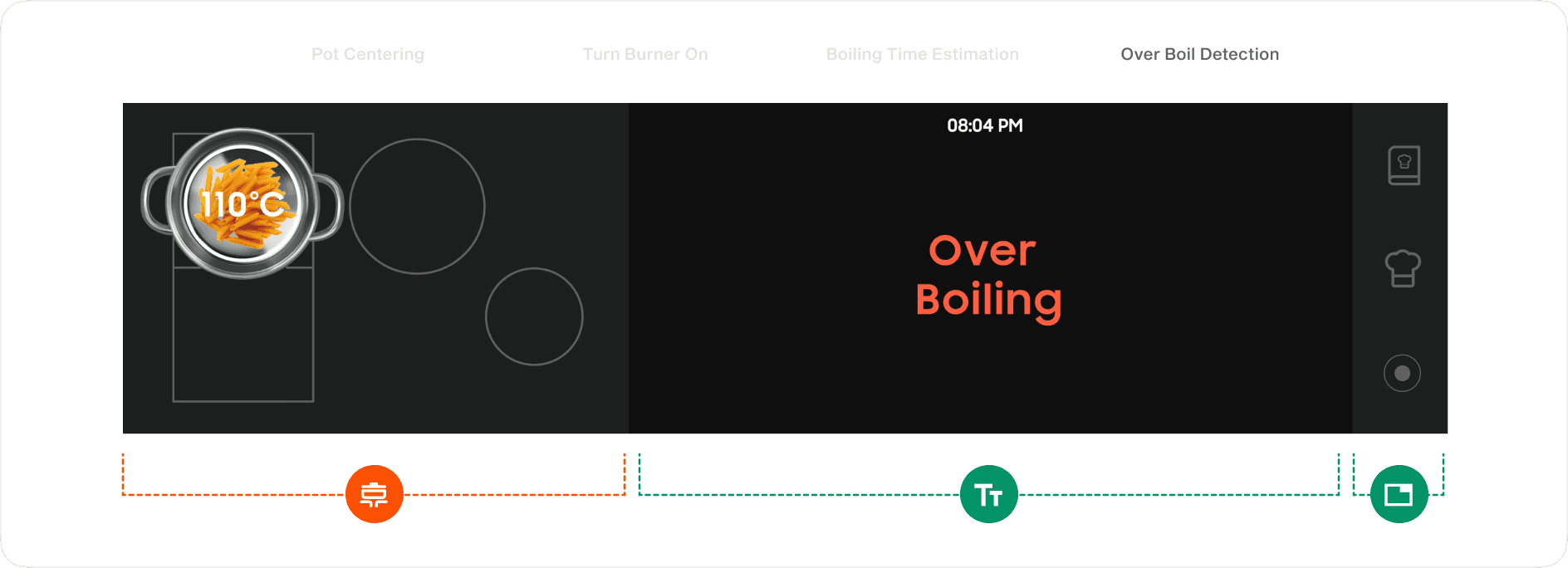
(UI Layout Design)
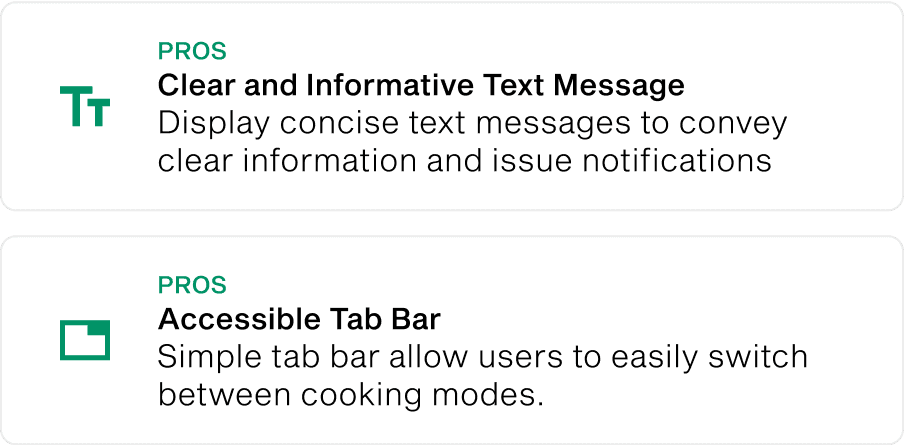
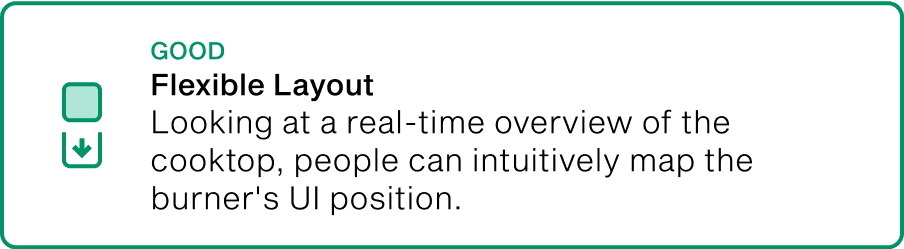
Responsive multi-burner layout matches with natural mapping
Research showed the front-right burner gets the most use, and most people cook with two burners at most. We designed a responsive layout that adapts to active burners, helping users focus only on what they are using.
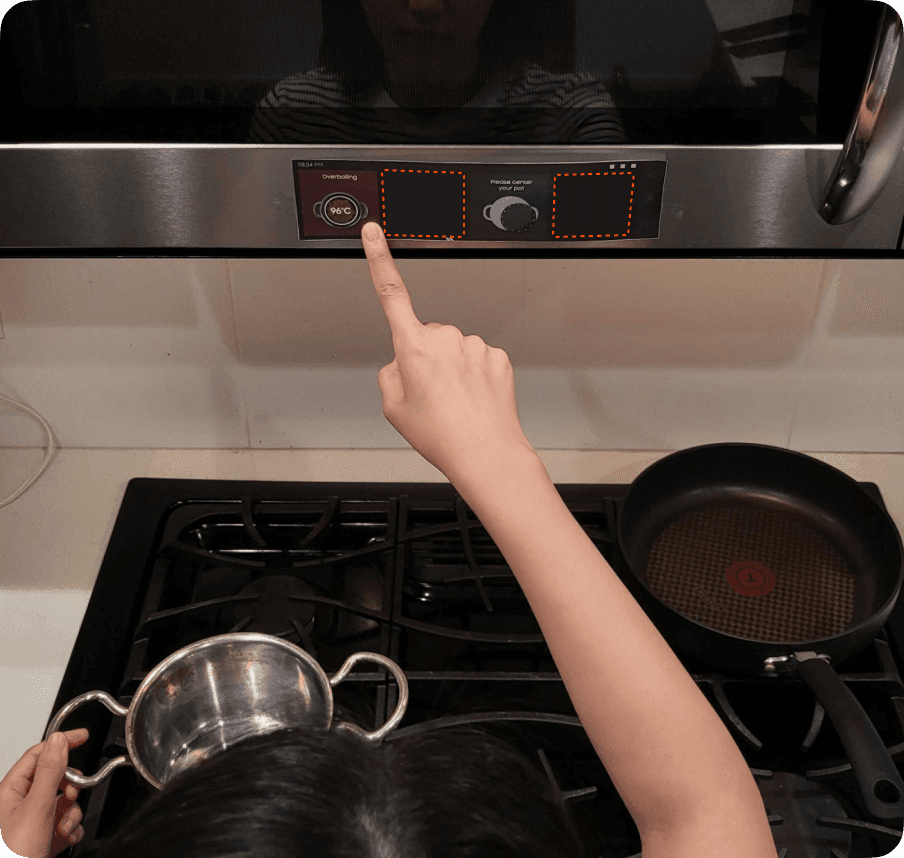
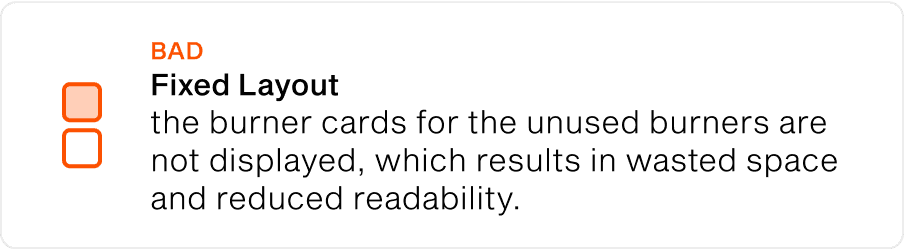
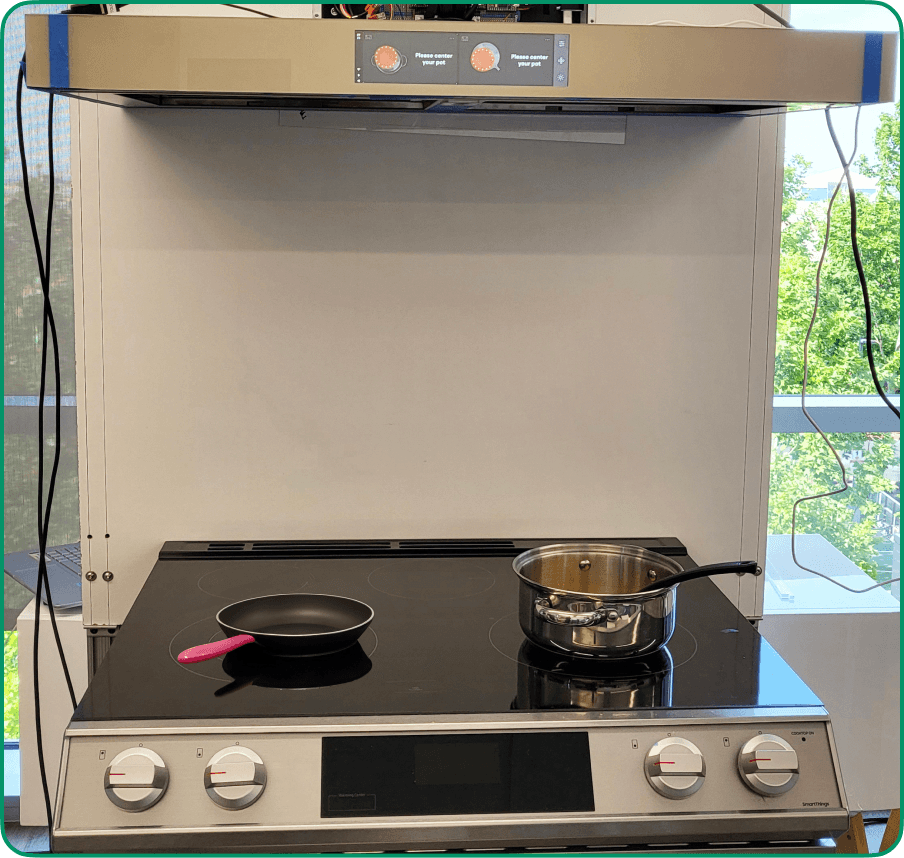
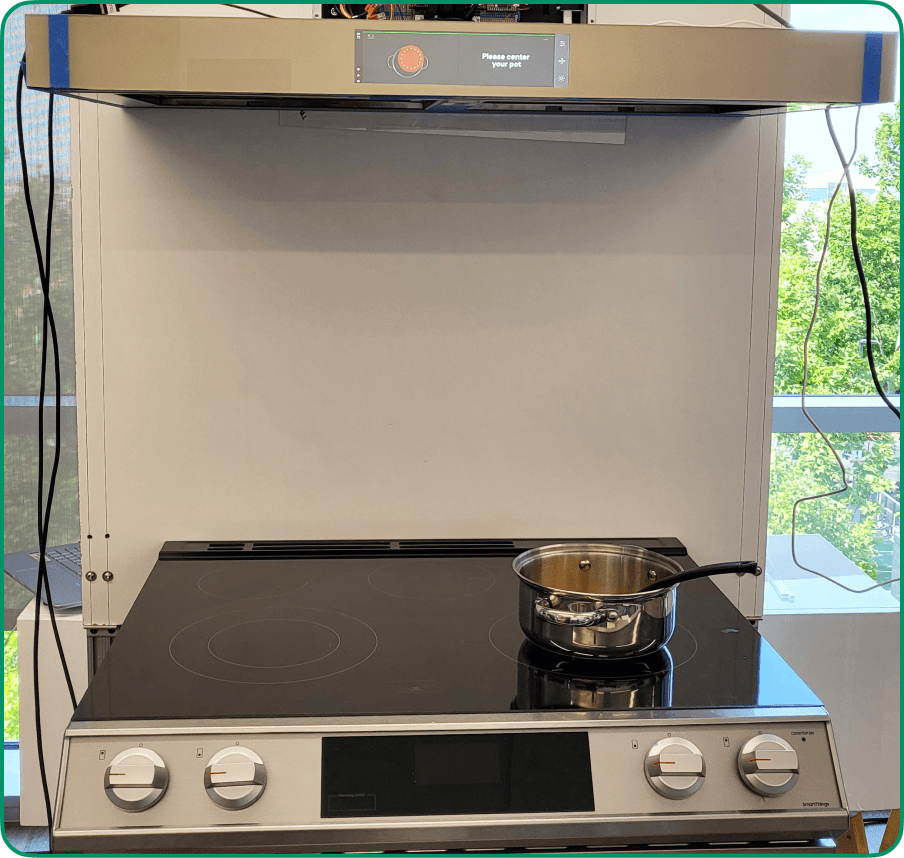
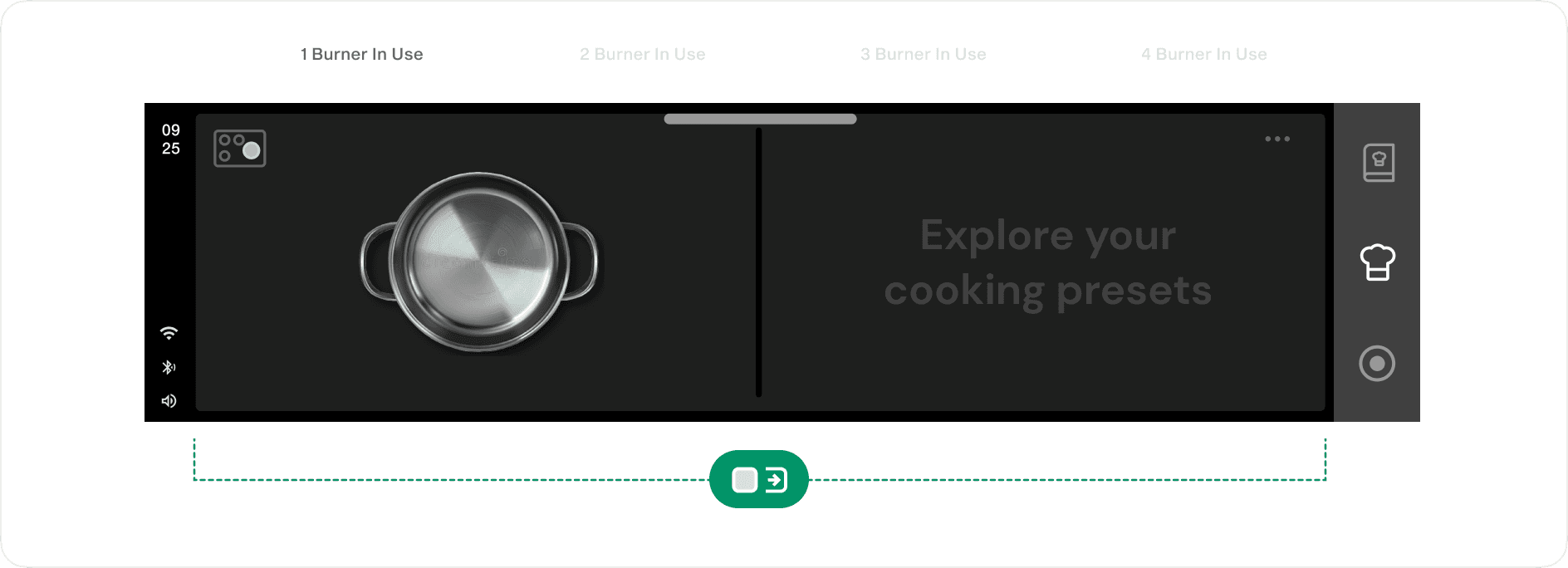
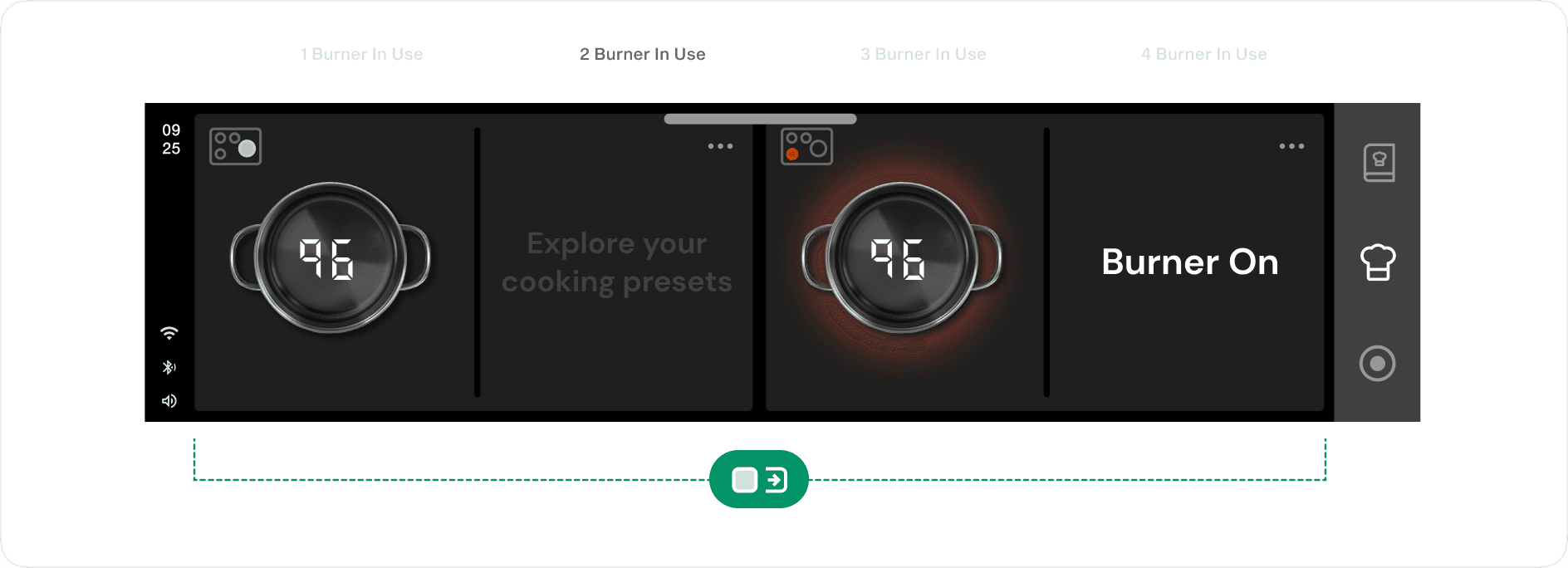
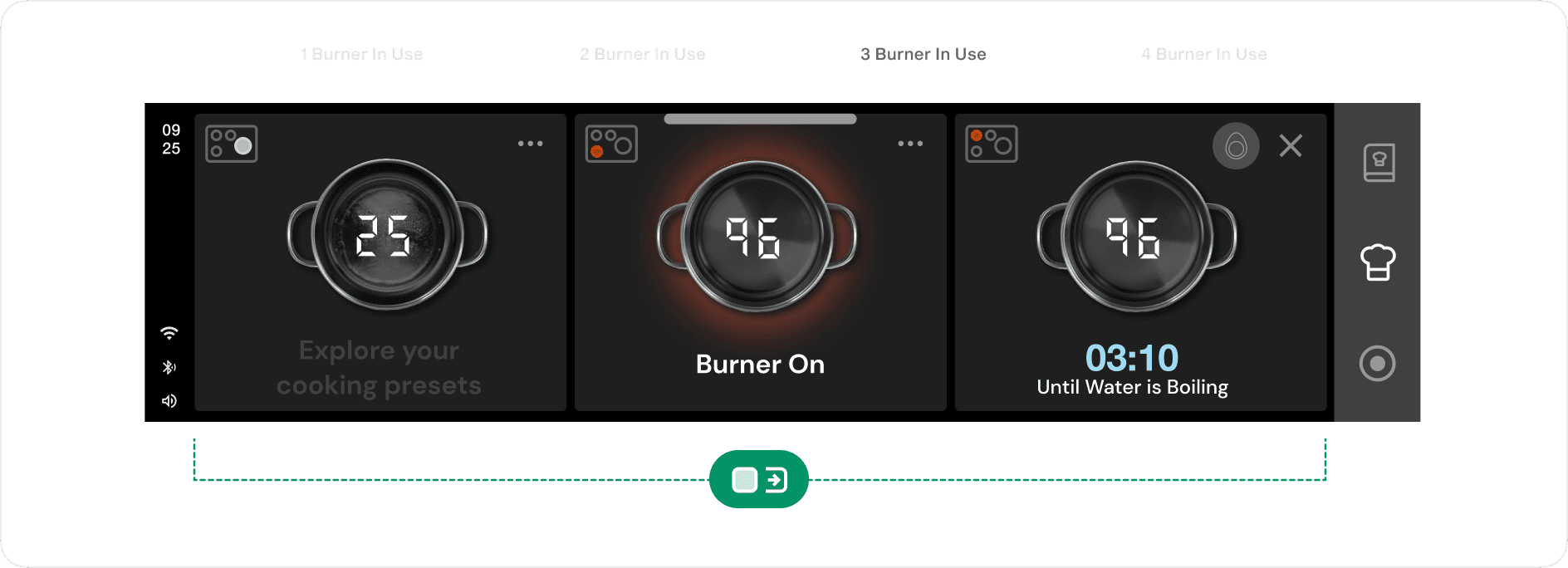
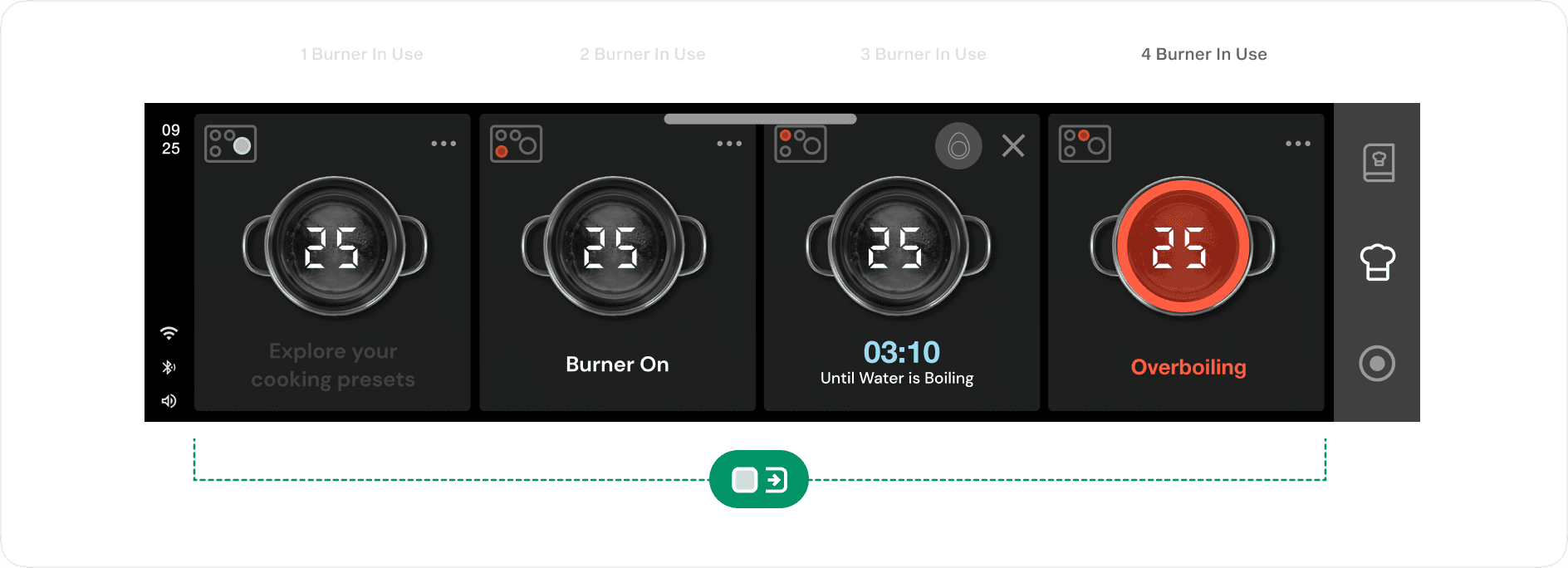
I defined the cooktop state logic and added status icons to each burner card. Icons show when a burner is hot, cooling, or needs attention, even without cookware, so hidden residual heat is visible at a glance. Once an empty burner cools, its card disappears. The screen only shows what matters.
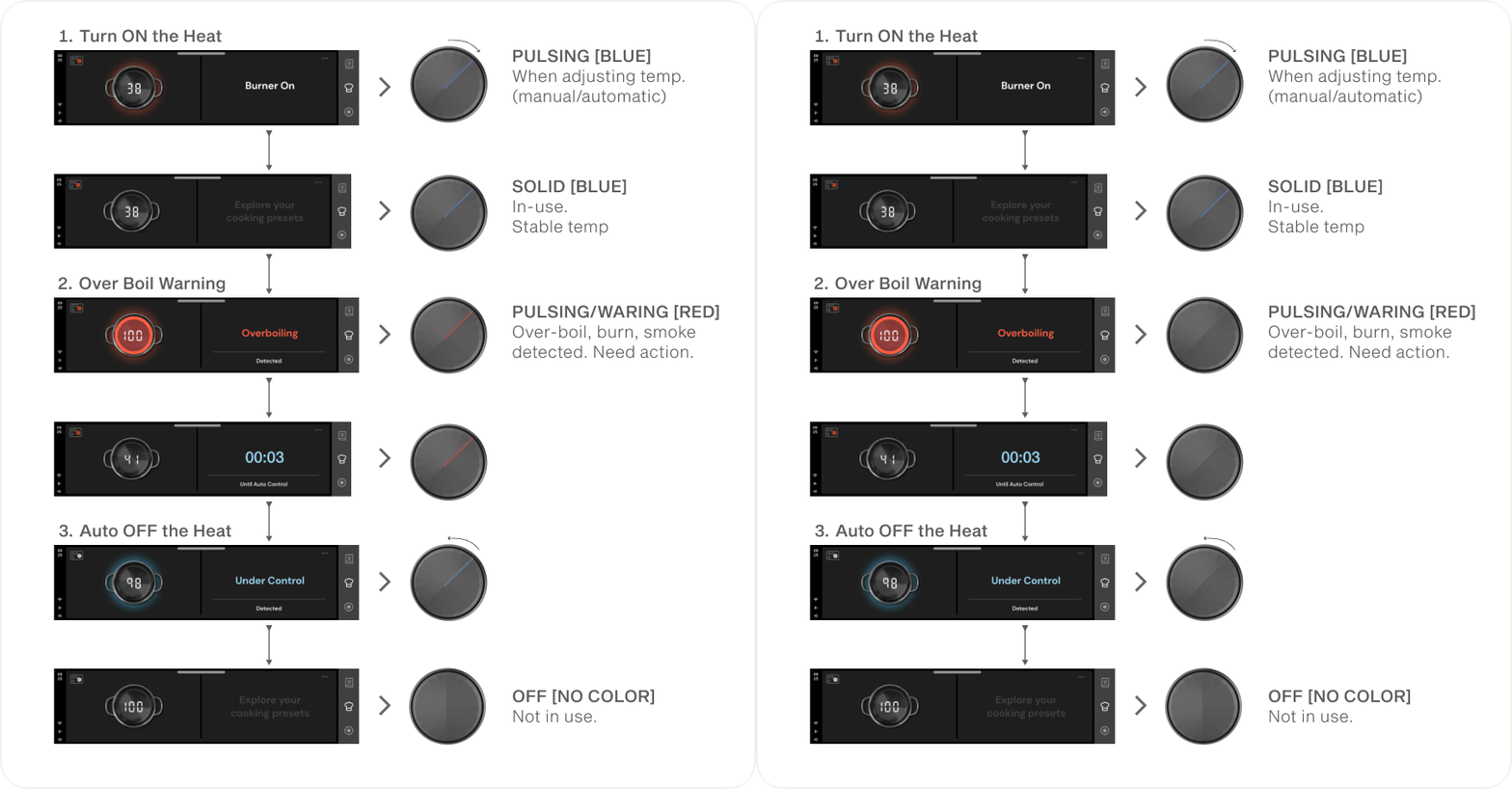
Intuitive autonomous smart knob safety system
An LED color system, red for emergency and blue for burner on, was added for intuitive heat level and product status understanding, aligning with the UI system.
FINAL DESIGN
An Intelligent Sous Chef
PRESENTATION
Showcasing Aspire to public
Observing how well Aspire can integrate into our users
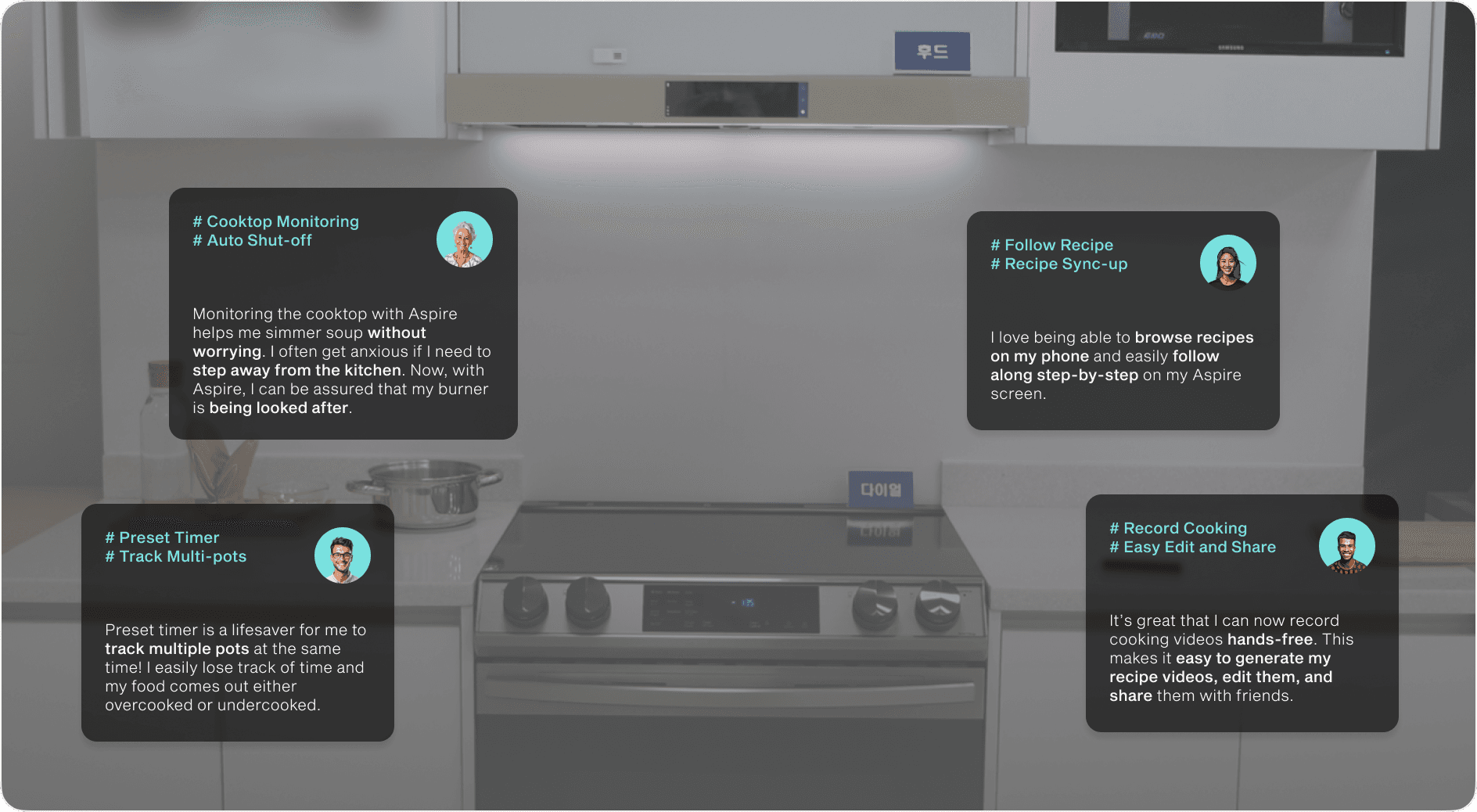
The demo reached over 5,000 attendees across SDC and Seoul Tech Fair. I attended in person to gather feedback from a wide audience, using their comments to estimate how end users would evaluate the product.
Interest centered on monitoring and safety over recipe features, which supported the later decision to prioritize a mobile companion experience.
REFLECTION
My take away from the journey
🏆 Project Hero recognition
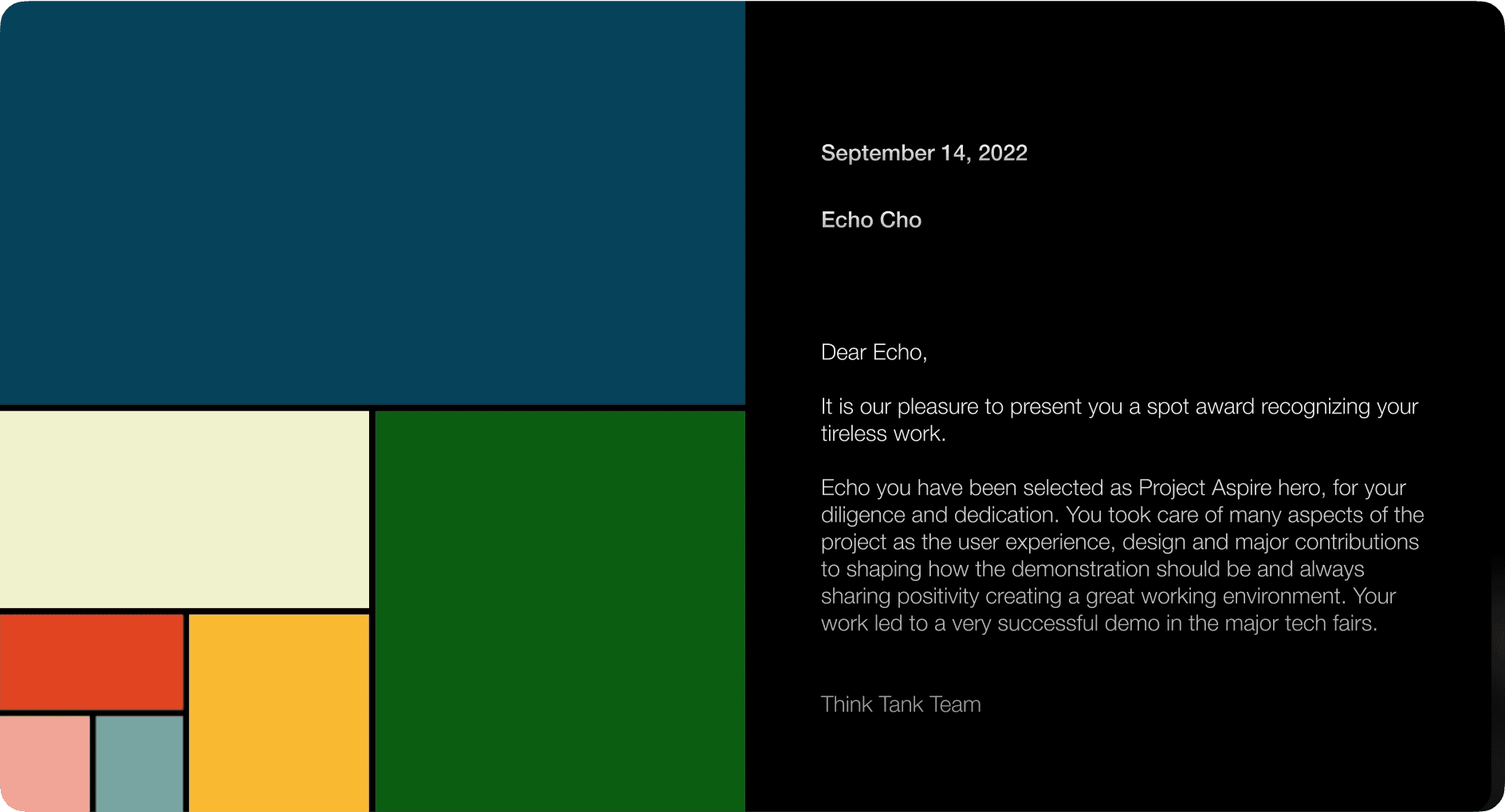
I was honored to receive a Spot Award as an Aspire Project Hero from an internal 360 review. It means a lot to me to be recognized by my colleagues. I believe that trust and effective communication within our team played a vital role in our successful collaboration on the project.
👊 Project challenge
One of the biggest challenges I faced was fitting all desired features into a small screen with limited physical interaction. Through hands-on testing during cooking tasks, I learned the importance of prioritizing information and simplifying what is shown to focus on the essentials.
📝 What I learned
Drawing on my product design background in human factors and physical interaction, I contributed insights that led to more intuitive design outcomes in a cooking context. This experience reinforced the value of diverse skill sets in shaping stronger, more well-rounded solutions.
👉 What’s my next steps
Following positive demo feedback, the project is shifting toward a new form factor, influenced in part by production considerations, with a stronger focus on mobile app usability. If I have the opportunity to continue, I would focus on improving remote monitoring and control features within the mobile experience.